Every location side by side.
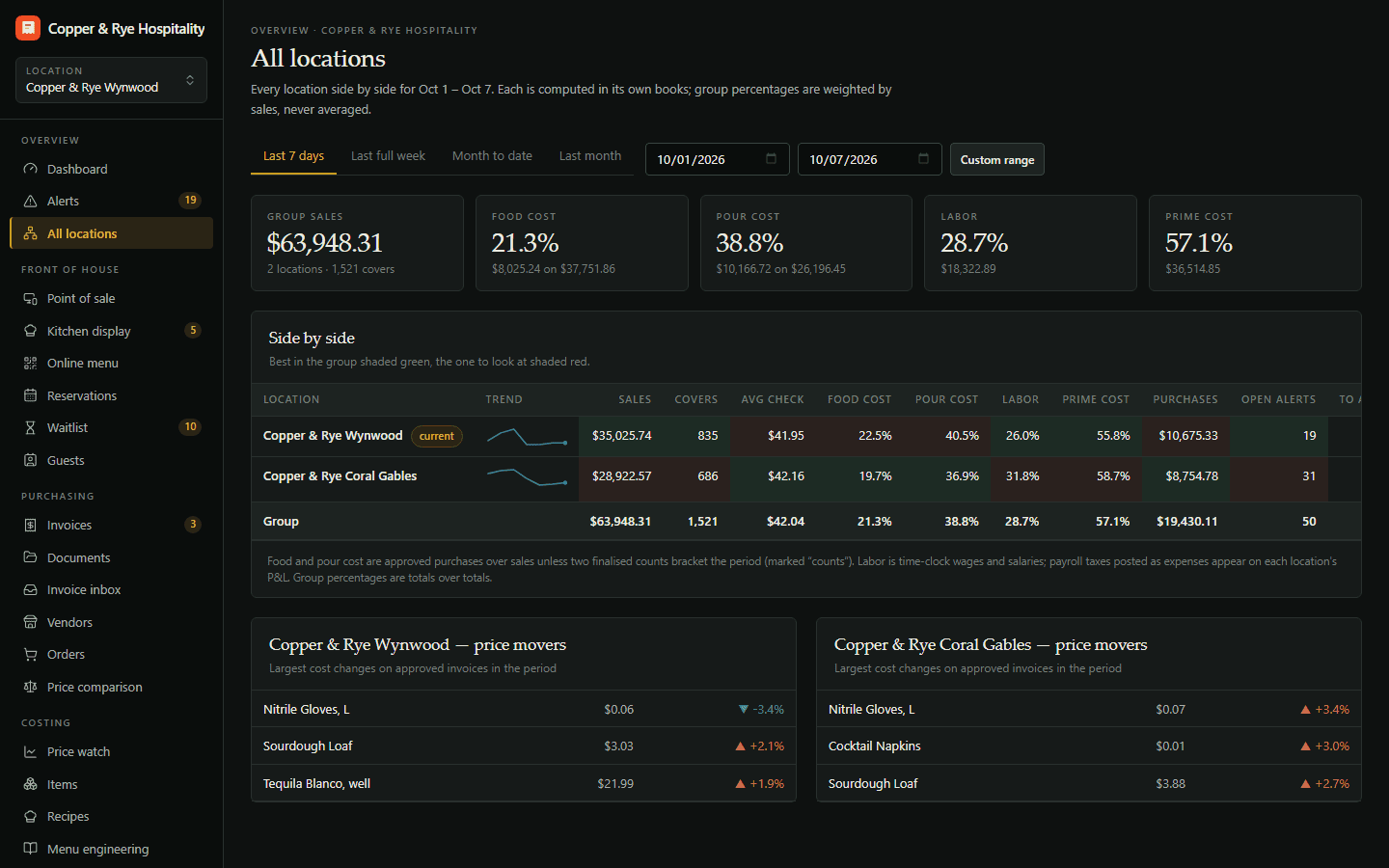
Roll up sales, food cost, labor and price movements across every location, compare them, and spot the one drifting.
Three locations, three GMs, three spreadsheets formatted three different ways — and a Monday meeting spent arguing about whose numbers are right.
Roll up sales, food cost, labor and price movements across every location, compare them side by side, and spot the one drifting.
Every location side by side, and switching in one click.
- Group dashboard across locations
- Compare cost % by location
- Shared vendors, separate books
A group dashboard
Sales, cost percentages and labor for every location on one screen, with the group total on top.
Compare cost % by location
The same dish, the same vendor, three different food costs. See where and why.
Shared vendors, separate books
Each location keeps its own invoices, counts and P&L, while the group sees across all of them — and people only see the locations they work.
Try Multi-location free for 14 days.
Start a trial with Multi-location on its own, or as part of any plan — and add or drop modules any month.