A point of sale built for a Friday-night rush.
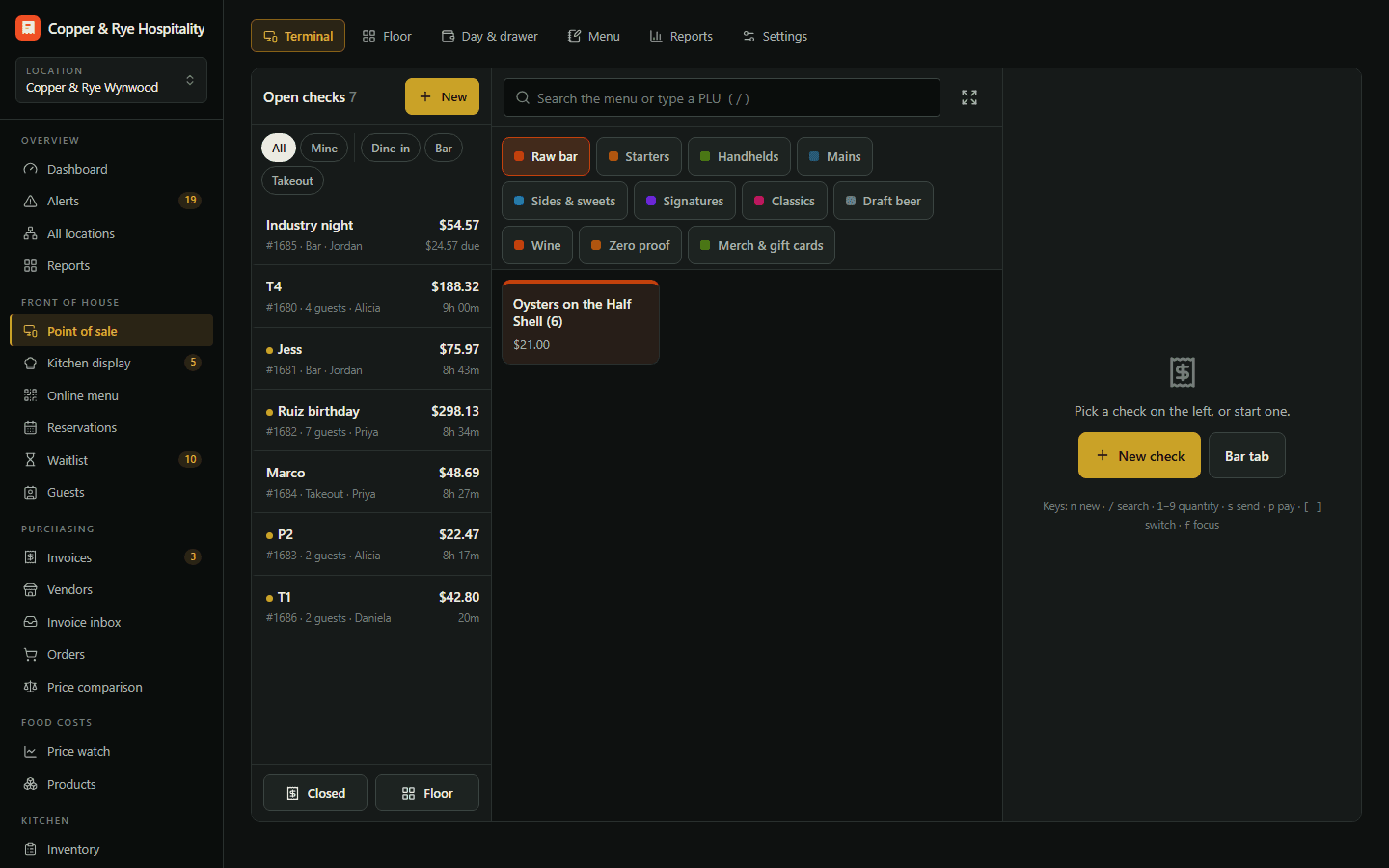
Open tabs by name or table, modifiers, courses, split checks, comps with a manager PIN, tips and an end-of-day close that feeds every cost report automatically.
The POS doesn't talk to the back office, so sales get typed twice, comps vanish into a void report nobody reads, and the end-of-night close is a printout.
A fast, touch-first point of sale built for bars and restaurants: open tabs by name or table, modifiers, courses, split checks, discounts with manager approval, cash and card tenders, tips and an end-of-day close that feeds every cost report automatically.
Our own point of sale: tabs, tables, splits and tips.
- Bar tabs and table checks on one screen
- Modifiers, courses, seats and split checks
- Manager PIN for voids and comps
- End-of-day Z report writes your sales automatically
- Live floor plan
Bar tabs and table checks on one screen
Start a tab with a name at the bar, or open a table on the floor plan. Move items, merge checks and transfer tabs between servers in a tap.
Modifiers, courses, seats and splits
Mid-rare, no onion, sauce on the side. Fire by course, assign by seat, split evenly, by seat or by item.
Manager PIN for voids and comps
Every void, comp and discount asks for a manager PIN and a reason, and lands in the audit log with who approved it.
A Z report that writes your sales
Close the day and net sales, the food/bar split and the item mix flow straight into your costs, your P&L and menu engineering.
A live floor plan
See every table's status, how long it's been seated and what it's spent — from the host stand or the office.
Try Tabs POS free for 14 days.
Start a trial with Tabs POS on its own, or as part of any plan — and add or drop modules any month.